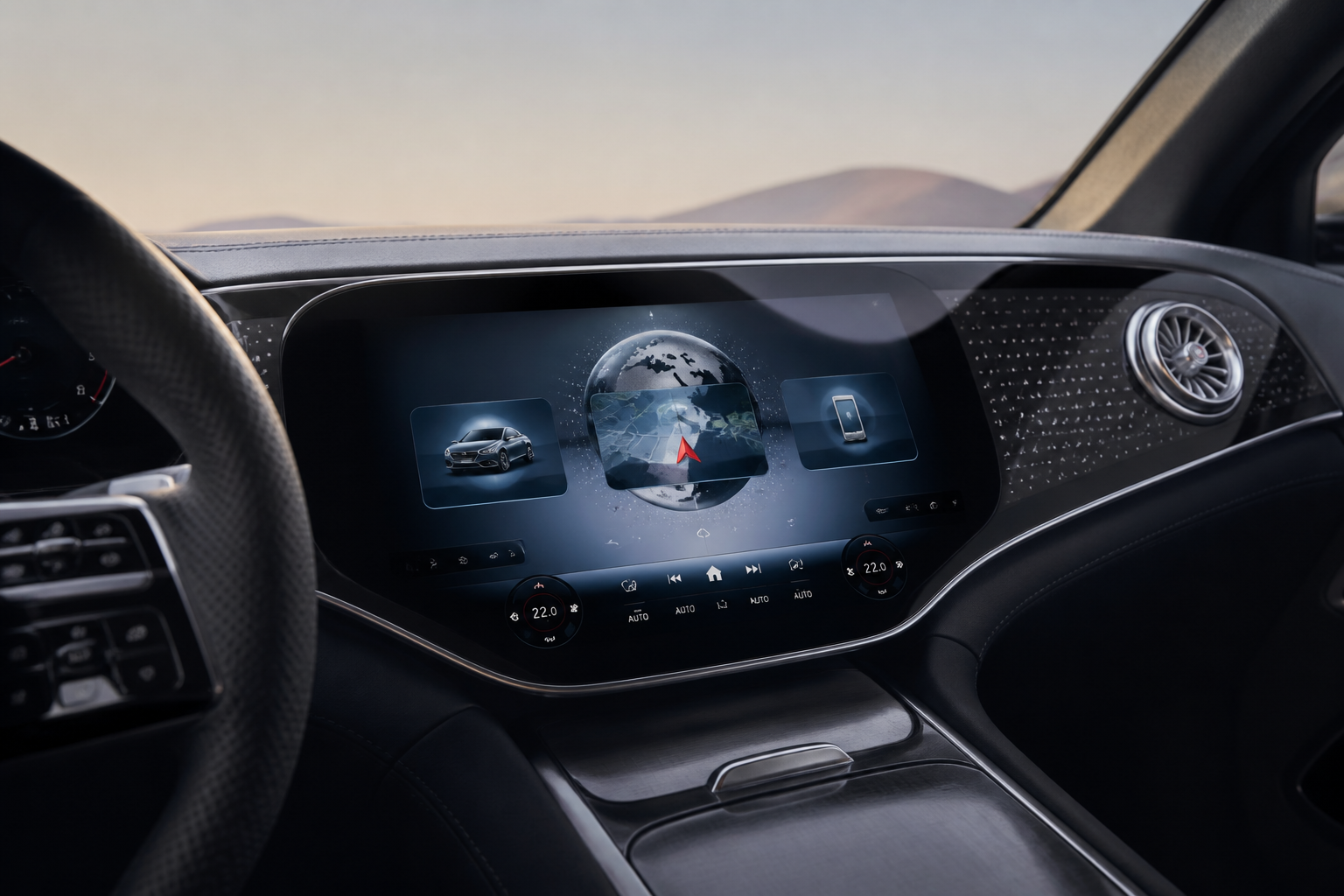
MB.OS is Mercedes-Benz’s integrated software platform that unifies infotainment, vehicle controls, and connected services. It delivers over-the-air updates to add features, improve security, and refine usability, with updates deployed in stages. Compared with legacy Mercedes infotainment, MB.OS aims for a more cohesive, cloud-connected experience across models, while early adoption may bring initial quirks as the software matures.
Key takeaways
- MB.OS centralizes infotainment, vehicle settings, and connectivity for a unified Mercedes experience.
- Updates are delivered over the air and can improve features, security, and reliability over time.
- Today’s MB.OS builds emphasize cloud integration and cross-model continuity, with ongoing feature evolution.
- Initial releases may show early software quirks; expect refinements with subsequent updates.
- Ownership costs can shift toward data usage and potential subscription services; dealer visits for basic software should decrease.
Mercedes-Benz has positioned MB.OS as the software backbone for its latest generation of vehicles, promising a more integrated, secure, and continually improving driving experience. This explainer breaks down what MB.OS is, how its modules fit together, how over-the-air updates are delivered, and what that means for usability, reliability, and ownership costs compared with older Mercedes infotainment setups.
What MB.OS actually is within the Mercedes-Benz ecosystem
MB.OS is the software layer that combines vehicle control, infotainment, and connected services into a single platform. It handles navigation, media, voice control, vehicle settings, OTA updates, and cloud-connected services. In practice, MB.OS centralizes software functions that previously lived in separate ecosystems, aiming to deliver a more cohesive experience across models and trims.
Key modules and capabilities
- Infotainment and UI: native apps, home screen layouts, app switching, and wireless CarPlay/Android Auto integration opinionated by MB.OS design language.
- Vehicle control: settings for driving modes, chassis behavior, suspension damping, and climate control preferences are synchronized with user profiles.
- Connectivity: eSIM-based data plans, cloud sync for contacts, navigation, and calendar events, plus Mercedes me connect services.
- Over-the-air updates: software improvements, new features, and security patches delivered remotely, reducing dealership visits.
- Voice and assistants: native voice UI tuned for Mercedes commands, with cloud processing for complex tasks and offline fallback when needed.
Update cadence: how MB.OS gets better over time
Mercedes-Benz designs MB.OS updates to roll out in staged waves. Major feature introductions may arrive first on newer models with broader compatibility later, while security patches are typically deployed across the range more quickly. Updates can be initiated by the vehicle, scheduled by the owner, or pushed automatically when the car is parked and connected to Wi-Fi or a cellular network.
Typical update flow
- Update planning: firmware compatibility checks ensure new code works with hardware in your vehicle.
- Download: data is downloaded over the air; larger feature packs may require a stable Wi-Fi or mobile connection.
- Installation: the vehicle enters a maintenance cycle; you can often continue driving, but some updates require a brief stop for system reconfiguration.
- Validation: post-install checks verify feature availability and function integrity.
MB.OS vs legacy Mercedes infotainment systems
Compared with earlier Mercedes systems, MB.OS emphasizes seamless cloud integration, over-the-air improvement, and consistent in-vehicle experiences across model lines. Critics point to initial launch quirks common to new software platforms, such as occasional lag in response to complex commands or momentary home-screen refreshes. Over time, these typically diminish as more updates mature the codebase.
Practical implications for owners
MB.OS vs legacy Mercedes infotainment: key differences
Aspect MB.OS approach Legacy infotainment approach Owner impact Central software layer Single MB.OS platform across models Multiple subsystems with separate software stacks Easier updates; potential cross-model consistency benefits Update cadence Over-the-air, staged rollouts with security patches Manual updates at service centers or via USB media Quicker, more convenient; may require data connectivity Connectivity eSIM, Mercedes me connect, cloud services Local storage with limited cloud integration Better sync of contacts, navigation, and services User interface Unified UX across models with MB.Navigator features Fragmented UI across generations Predictable experience; easier learning curve over time Reliability risk Early adoption may show quirks; software maturity improves with updates Quirks persist longer if updates are slow or inconsistent Lower long-term risk with active OTA maintenance Frequently asked questions about MB.OS
What is MB.OS?
MB.OS is Mercedes-Benz’s integrated software platform that powers infotainment, vehicle controls, and connected services, designed to receive over-the-air updates.
How do MB.OS updates occur?
Updates are delivered over the air in staged waves, with security patches and feature improvements. Installation can occur while parked with connectivity, and some updates may require a brief vehicle reboot.
Will MB.OS updates affect my car’s performance?
Most updates improve usability, security, and feature availability. Major performance changes are typically gradual and vetted before broad rollout.
What should I do if MB.OS is slow or unresponsive?
Check for available updates, ensure a stable data connection, perform a soft reset of the infotainment system, and consult the Mercedes me app or dealer if issues persist.
Are there extra costs for MB.OS features?
Some cloud-connected services may incur data or subscription costs depending on region and chosen services; basic update delivery is typically included with vehicle ownership.
Explore interconnected Mercedes tech guides: from charging and MB.OS to maintenance, warranties, and app ecosystem
Related Mercedes-Benz guides