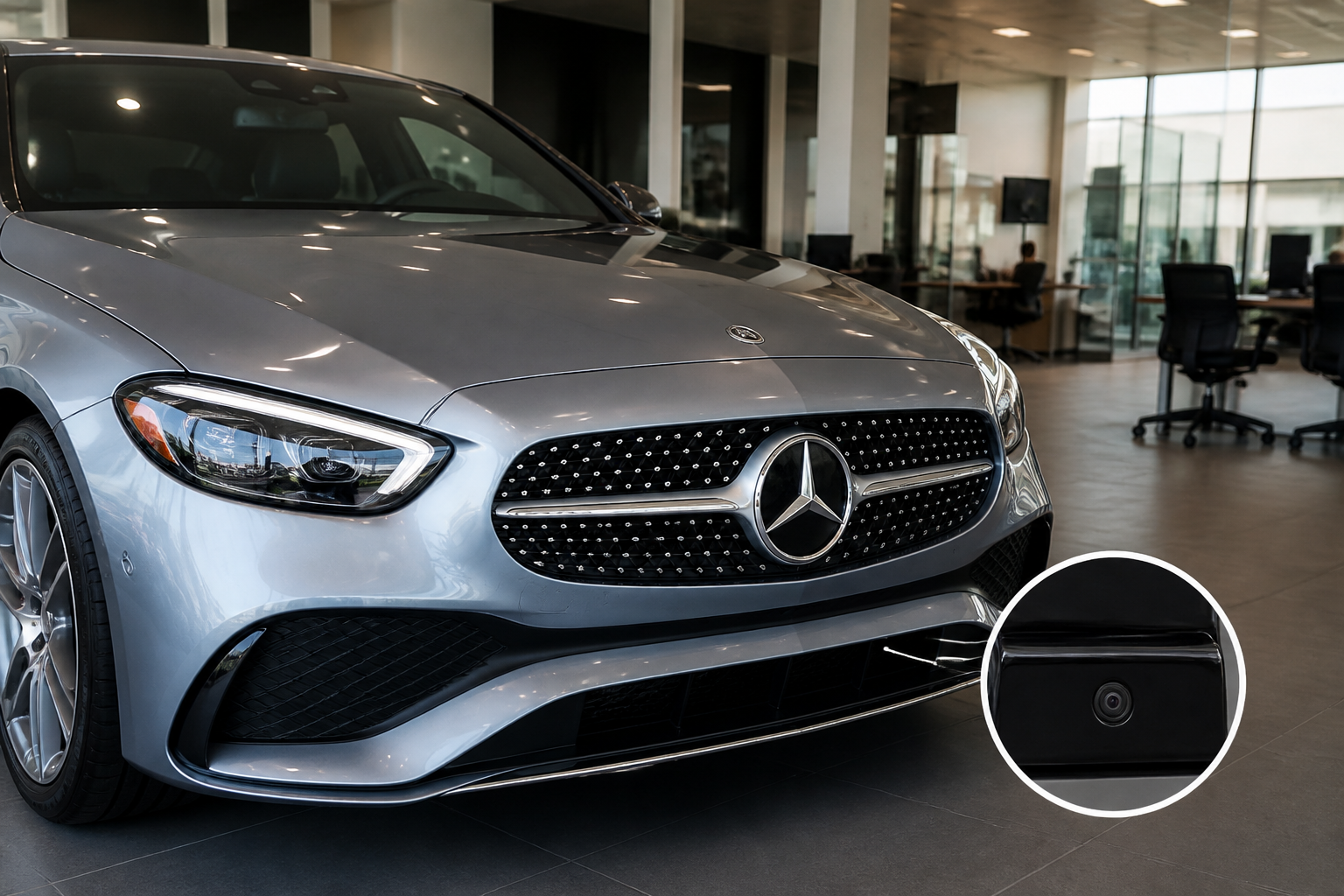
To verify standard vs optional driver-assist packages on a Mercedes-Benz C-Class, obtain the exact vehicle configuration (VIN) and window sticker, compare it to the official OEM build sheet, and confirm with the dealer which features are standard versus part of a Driver Assistance Package. Key features to verify include Active Brake Assist, Adaptive Cruise Control with Steering Assist, Lane Assist, and Active Emergency Stop Assist; ensure each is present on the specific car you’re buying, not just on a brochure. Use VIN-driven documentation and in-car indicators to validate what’s included before purchase.
Key takeaways
- A C-Class’s safety tech varies by trim and options, so always verify the exact configuration for the specific vehicle.
- Active Brake Assist, Adaptive Cruise with Steering Assist, and other driver aids may require a Driver Assistance Package—don’t assume they’re standard.
- Use the VIN, window sticker, and OEM build sheet to confirm safety equipment before signing, and check in-car indicators for active features.
The Mercedes-Benz C-Class safety story is not a single feature list but a living configuration path. The core question for buyers remains: which safety items are included as standard on the exact trim you’re considering, and which require a Driver Assistance or similar package? This guide provides a practical, decision-focused workflow that helps you verify equipment at the dealership, understand how packages are structured, and avoid assuming you’ll get a desired safety suite when you won’t.
How safety features are distributed across C-Class trims
Over recent model years, Mercedes has moved many advanced safety aids into optional packages while keeping essential protection in base equipment. That means a base C-Class may offer the basics, but features such as highway assist, predictive braking, and more nuanced lane-keeping tools often appear only when a Buyer selects a Driver Assistance Package or a technology bundle. Because the exact inclusion can vary by market, model year, and even production batch, you should verify the specific vehicle you’re considering against the official configuration documentation for that exact VIN.
Purchase verification workflow you can use at the dealership
- Request the window sticker and the build sheet—the vehicle’s window sticker (Monroney label) and the OEM build/config sheet show installed options. Compare those with the dealer’s posted listing and the vehicle’s VIN-specific brochure or online configurator.
- Cross-check the final option codes—many safety packages are defined by option codes rather than plain names. If you see a code like “P1XX” or similar, ask for a decoding sheet from the dealer or reference the official Mercedes option catalog to map it to features such as Adaptive Cruise Control or Lane Centering.
- Test the features during a pre-purchase demo drive—including adaptive cruise control, steering assist on highways (if available in your market), lane-keeping assist, and any cross-traffic or rear-cross-traffic alerts. Confirm these systems are active and respond as expected in the vehicle you’re considering.
- Request confirmation in writing—have the dealer provide an itemized list of safety features by trim and confirmation of any add-on packages. This helps avoid post-sale disputes if a feature is missing or not functioning as advertised.
- Check for software updates and firmware requirements—some safety aids rely on ongoing software; ensure the vehicle is up to date and that there are no outstanding updates that could enable or unlock features later.
Key safety features to verify on purchase
Below is a practical checklist of capabilities you’re likely weighing when comparing standard equipment versus optional packages. Note that availability is sensitive to market and model year, so treat this as a verification guide rather than a universal rule.
- Active Brake Assist — foundational collision mitigation is common, but its most proactive behavior (such as autonomous emergency braking with collision avoidance) is often tied to a Driver Assistance Package. Verify the exact braking modes, sensor coverage, and whether pedestrian detection is included in your market.
- Adaptive Cruise Control with Steering Assist — frequently part of the Driver Assistance Package or an optional add-on. Confirm whether the system can maintain set speed, follow distance, and provide steering inputs at highway speeds. Some markets require an additional package for true hands-off lane centering and long-range radar support.
- Lane-keeping and Lane Assist features — include lane centering, lane departure warnings, and hands-on steering requirements. Some trims offer basic lane departure warning only; others include active steering interventions. Confirm which systems are standard and which are package-only, plus any requirements like camera calibration or wheel alignment before operation.
- Active Emergency Stop Assist — designed to bring the car to a controlled stop if the driver is incapacitated. This feature is not universally included and is highly package-dependent. Verify its availability, activation conditions, and any model-year caveats that affect reliability or availability in certain markets.
- Cross-traffic and Rear Cross-Traffic Alert — aids for reversing and maneuvering in parking lots. Often bundled with driver assistance packages but can be offered as a standalone option in some specs. Check whether sensor coverage includes rear corners and the conditions for alert timing.
- Traffic Sign Recognition and Speed Limit Assist — helps with speed guidance and adhering to posted limits. Availability is commonly tied to technology or driver-assistance bundles; confirm the feature is present on your exact build and understand how it interacts with adaptive speed controls.
- Parking Assist and Surround-View Cameras — while not strictly “driver assist,” camera and parking features may be grouped with safety packages in some markets. Verify camera perspectives, steering-wheel inputs during parking, and whether sensors cover all corners of the vehicle.
How to interpret package naming and what it means for you
Mercedes-Benz often uses package names like Driver Assistance Package, Premium Package, or Technology Package, with individual features allocated by codes. The same feature can be included in multiple packages or offered as a stand-alone option depending on the market and year. When evaluating a used C-Class or a new-today configuration, you should:
- Read the official brochure for the exact model year and market to confirm which features are bundled in each package.
- Ask for a feature-by-feature comparison between packages so you understand what you are gaining or losing by choosing one trim or package over another.
- Be aware of potential feature drift—Mercedes may change which features are included in a package across mid-cycle updates or different regional catalogs.
Trims, packages, and how they affect ownership costs
From the buyer’s perspective, the critical trade-off is cost versus safety capability. A higher trim or the addition of a Driver Assistance Package can add substantial upfront cost but may deliver enhanced convenience, proactive safety, and potentially improved resale value if those features remain highly valued in your market. Consider:
- Total delivered equipment versus the base price, including all mandatory fees and taxes in your region.
- Expected long-term maintenance or software update costs that may accompany more complex driver-assistance systems.
- Resale implications: buyers in some markets highly value a complete safety suite, which can influence resale price or ease of sale.
Practical examples and caveats by model year
Because the exact feature mix shifts with model year and region, use these practical notes when assessing a C-Class you’re considering:
- In some markets, a base C-Class may include Active Brake Assist but require the Driver Assistance Package for Adaptive Cruise Control with Steering Assist. In others, a higher trim might include a broader set of lane-keeping tools without any package.
- There can be differences between the sedan and coupe variants in how safety features are packaged, so verify for the exact body style you’re buying.
- Car configurators and window stickers may list different names for the same feature. Always map names to the actual functions you need, using the dealer’s feature decoder or the OEM’s official option catalog for clarity.
Bottom-line checklist
Before you commit, ensure you can answer these questions for the exact vehicle on the lot or in your order:
- Which Driver Assistance features are standard on this trim, and which require a package?
- Is Adaptive Cruise Control with Steering Assist included, and does it function at highway speeds with lane centering?
- Are Lane Keeping Assist, Lane Change Assist, and related systems active, and what are their sensor requirements?
- Is Active Brake Assist capable of autonomous emergency braking with the provided sensors and software?
- Are cross-traffic, speed limit, and traffic sign recognition features present on this car?
Sources for further verification
- 2025 Mercedes-Benz C-Class Review, Pricing, and Specs
- 2024 Mercedes-Benz C-Class Prices, Reviews, and Pictures
C-Class safety features: standard vs optional, by typical package
| Feature | Standard on base trim | Requires Driver Assistance Package |
|---|---|---|
| Active Brake Assist | Often basic or included | Typically requires package for full capabilities |
| Adaptive Cruise Control with Steering Assist | May be standard in some markets | Usually package-dependent |
| Lane Assist / Lane-keeping | Varies by trim | Often part of higher-level packages |
| Active Emergency Stop Assist | Not always standard | Typically in advanced packages |
| Cross-traffic Assist / Speed Limit Assist | Varies by trim | Usually in packages |
Frequently asked questions
Which safety features are mandatory across C-Class trims?
Most models include basic driver-assistance aids such as a basic collision mitigation system, but the full Active Brake Assist and high-level steering or lane assistance often require a Driver Assistance Package or higher trim. Always verify the exact equipment with the VIN and window sticker.
How can I confirm features beyond the brochure?
Use the VIN to pull the OEM build sheet, compare with the dealer’s OEL, and request a printed feature list. Check in-car menus and indicator icons after test drives to confirm active systems.
If a feature is not listed on the window sticker, can it still be added later?
Some features can be added via accessories or software updates, but many driver-assist systems require factory hardware or a specific package. Verify compatibility and cost with the dealer before purchasing.
Are there regional variations in safety feature availability?
Yes. Availability and packaging can differ by market, so confirm the exact configuration for your country and the specific vehicle you’re considering.
Related Mercedes-Benz guides
- MOExtended tires versus standard run-flat options on Mercedes
- Used C-Class W205 inspection checklist faults recalls verification
- Cooling system diagnosis verify coolant loss and identify culprit
- 2026 Mercedes-Benz S-Class Review: Changes, Engines, MB.OS and Luxury
- 2026 Mercedes-Benz New Models: GLA, S-Class, GLC EQ and AMG GT Guide