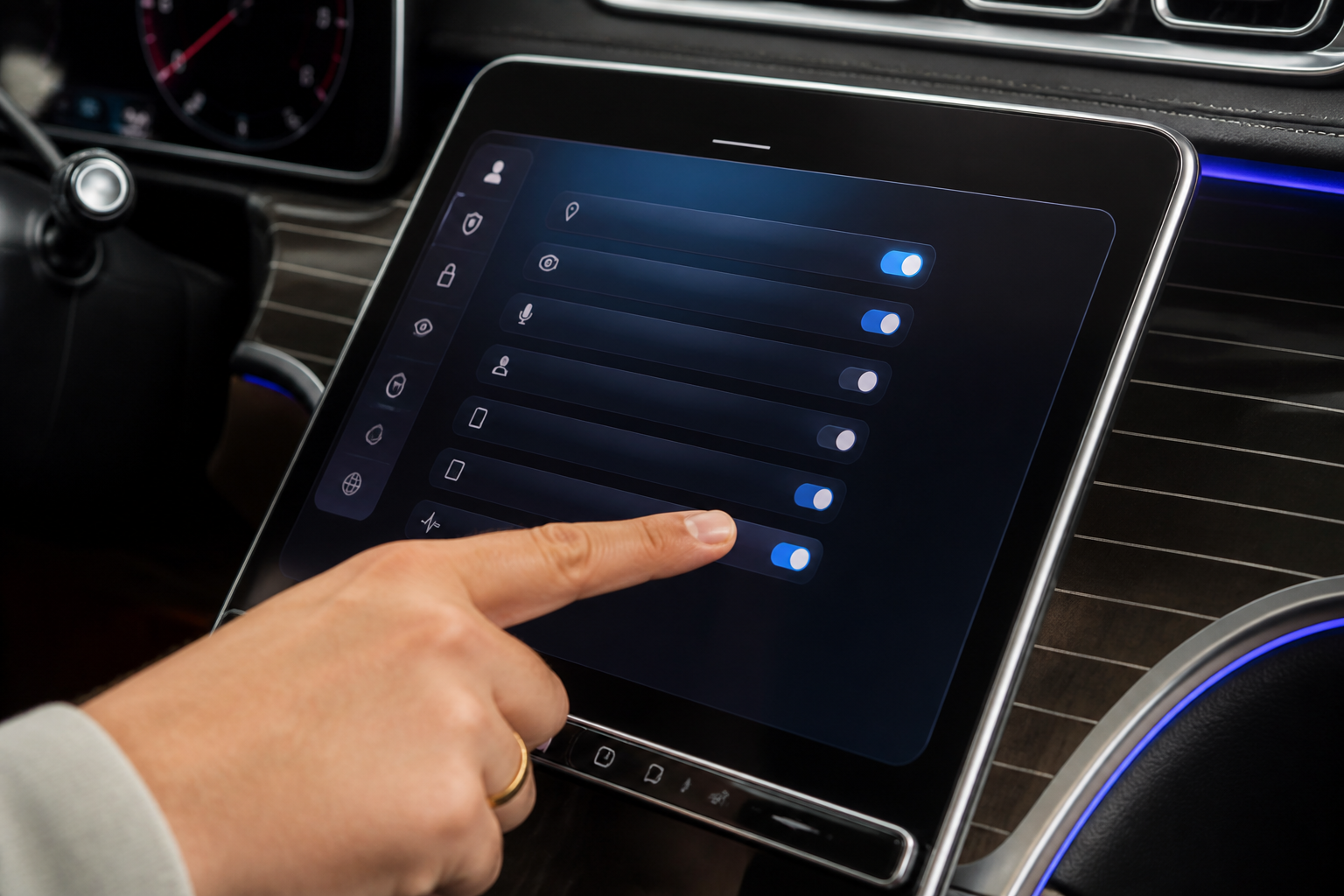
To review and adjust MB.OS privacy settings, start from the vehicle's main display, navigate to Settings > Privacy (or MB.OS) and inspect data categories like Location Data, Vehicle Telemetry, Voice Recordings, and App Data. Toggle sharing preferences per category, manage location services per feature, and decide whether voice data is stored or processed on-device. Save changes and test features to ensure they behave as intended.
Key takeaways
- MB.OS privacy controls are per-category; adjust only what you’re comfortable sharing.
- Location data impacts navigation and remote services; disabling it may limit features.
- Voice data controls balance personalization with privacy; on-device processing is often available.
- Always recheck privacy settings after MB.OS software updates.
- Per-feature permissions help tailor privacy for family use and shared vehicles.
MB.OS creates a connected, adaptive experience in your Mercedes-Benz, enabling the vehicle to learn, anticipate, and assist in ways that can feel highly personalized. With that convenience comes the responsibility to manage what data is shared, how location information is used, and how voice data is handled. This guide expands on where to find MB.OS privacy controls, what each option means in practical terms, and how to adjust settings to balance feature availability with privacy protections. It also outlines caveats, model‑dependent behavior, and actionable steps you can take to tailor data collection to your needs.
Locating and navigating MB.OS privacy controls
- Power up and open MB.OS: On the vehicle’s main display, tap the Mercedes‑Benz emblem or access Settings to reach MB.OS. Ensure the software is up to date, since privacy controls can be added, reorganized, or refined with updates. If you’re unsure of your software version, refer to the system information panel in Settings.
- Open Privacy or Data settings: In Settings, locate options labeled Privacy, Privacy & Data, Data Management, or an MB.OS sub‑section. In some model lines the privacy options live under a MB.OS or Voice & Privacy heading. If you don’t see a clearly labeled privacy area, check for an “Advanced” or “Developer” submenu where newer privacy controls may be staged via software builds.
- Review data categories: Expect categories such as Location Data, Vehicle Telemetry, Voice Recordings, and App Data. Each category includes a concise description of what is collected and how it’s used, plus any trade‑offs when turning data sharing off. Some categories may be nested under feature groups like Navigation, Remote Services, or Connected Apps.
- Adjust sharing toggles: Use on/off toggles to stop data sharing for specific categories. Some features may require active data sharing to function optimally; pay attention to in‑app notices that explain potential impact on performance or availability. When in doubt, apply changes to a single category first and test the effect on a feature you rely on.
- Manage location services: Decide whether the vehicle may access location data for navigation optimization, remote services, and traffic updates. Some systems allow per‑feature controls—for example, enabling navigation while disabling location access for non‑essential apps. Note that some safety or driver‑assist functions may inherently rely on location data, and disabling these could limit function or accuracy.
- Voice data and personalization: Check whether voice recordings are stored and processed centrally or processed on‑device. You may be able to disable voice data collection entirely or restrict processing to on‑device processing only, depending on your model and software level. On‑device processing can preserve privacy but may limit cloud‑based customization, like personalized responses or cloud search results.
- App data and connected services: Review data from connected apps (such as remote services and MB Drive integrations) that may be stored or transmitted. Inspect third‑party app permissions and disable data sharing with apps you don’t actively use or trust. For family vehicles, consider creating separate profiles with distinct app permissions to limit cross‑profile data access.
- Save, exit, and test: After adjusting preferences, exit to the home screen and test a feature that uses MB.OS data—such as voice commands, navigation, or remote services—to verify that the chosen privacy settings behave as expected. If a feature seems unresponsive, re‑open Privacy settings to verify its data category toggles.
What each MB.OS privacy control typically means
- Location Data: Enables or disables GPS‑based data used by maps, traffic services, and certain remote features. Turning it off may degrade real‑time navigation updates, smart routing, parking services, and some proximity features. For some drivers, partial location sharing (e.g., enabling only during active navigation) can offer a balance between privacy and accuracy.
- Vehicle Telemetry: Shares vehicle health, performance, and status information with Mercedes‑Benz for diagnostics, OTA updates, and feature optimization. Opting out can reduce proactive maintenance prompts and data‑driven feature improvements. In some cases, essential safety or reliability monitoring may still collect baseline telemetry for safety assurances.
- Voice Recordings: Captures spoken commands and prompts. Disabling voice data collection reduces personalization and cloud processing but may preserve privacy; some systems offer on‑device processing or limited voice data retention that preserves usability without sending data to servers. Be aware that certain hands‑free or safety announcements may rely on voice processing to function properly.
- App Data: Data from connected apps (remote services, MB Drive, or other integrations) that may be stored or transmitted. Review third‑party app permissions and disable data sharing with apps you don’t actively use or trust. If you disable app data sharing, some remote features (like remote vehicle status checks or location‑based reminders) may become unavailable.
Practical scenarios: tailoring MB.OS privacy to your driving life
- Privacy‑first approach for new owners: Minimize data sharing across categories, keep Location Data off for nonessential features, and enable on‑device processing for voice where available. Expect some services to appear offline or less responsive, and plan for alternative workflows, like offline maps or local offline navigation when needed. This approach is compatible with a strong emphasis on keeping data local while preserving core vehicle functions.
- Regular users of live navigation: Keep Location Data enabled for maps and real‑time traffic, but consider limiting Vehicle Telemetry or restricting voice data retention. Periodically clear stored voice data if options exist, and review app data permissions to reduce exposure from connected services. For fleets or multi‑driver households, per‑profile privacy settings can help maintain individual privacy preferences.
- Family use and safety considerations: Review which profiles or connected apps can access vehicle data. Disable shared data with third‑party services where not required, and set per‑feature permissions to protect minors’ privacy or limit data exposure when devices are borrowed. Consider enabling on‑device processing where possible to minimize cloud data transfers for voice interactions.
Trade‑offs and practical impact
MB.OS privacy controls are designed to preserve user choice while maintaining essential vehicle functionality. Disabling data sharing can blunt the effectiveness of over‑the‑air updates, predictive maintenance alerts, and some personalized features. Location services are central to efficient navigation, smart routing, and remote features; turning them off can lead to more offline behavior and reduced predictive capabilities. The goal is to tailor data collection to your comfort level without sacrificing safety or core ownership experiences. If you are unsure, start with a minimal set of data sharing and expand only as needed for preferred features. Remember that some functionality may require a baseline level of data to operate safely and reliably.
Maintenance, updates, and ongoing management
Privacy settings in MB.OS can evolve with software updates. When an update arrives, re‑open Privacy settings to review any new categories or permissions. Manufacturers typically publish release notes detailing changes to data collection and new privacy controls. Use the notes to understand how new features affect your data footprint and adjust accordingly. After major updates, re‑test key functions such as voice commands and navigation to confirm they meet your privacy preferences.
Guidance for choosing settings thoughtfully
Approach MB.OS privacy settings as a living profile. Regularly review and adjust as your driving patterns, family needs, or regulatory considerations evolve. Documented impacts—such as reduced navigation accuracy or fewer maintenance prompts—help you decide whether to preserve more privacy or keep broader data sharing for convenience. Consider keeping a default privacy snapshot you can restore if a new feature requires additional data access.
Limitations and model‑dependent caveats
Privacy controls and data handling vary by model year, software version, and regional regulations. Some vehicles may offer limited granularity on data categories or impose required data sharing for critical functions, such as safety systems or connected services that enable remote diagnostics. Always refer to your vehicle’s user manual and on‑screen help for exact options available in your configuration, and consult your dealership if a setting label is unclear. During beta or early access phases of MB.OS features, privacy prompts may appear differently or be temporarily constrained by the release schedule.
Bottom line
Reviewing and adjusting MB.OS privacy settings empowers you to tailor data collection to your comfort level while preserving essential vehicle functions. Start with the core categories—Location Data, Vehicle Telemetry, Voice Recordings—and then refine per feature, taking into account model‑specific options and software version. With thoughtful configuration, you can maintain privacy without sacrificing safety, reliability, or the convenience MB.OS is designed to provide within your Mercedes‑Benz. If in doubt, adopt a cautious, gradual approach and test each change against the features you rely on most.
Comparing MB.OS privacy controls vs. prior Mercedes-Benz systems
| Category | What it does | Typical impact |
|---|---|---|
| Location Data | Controls GPS use for maps/traffic | May affect live routing and remote services |
| Vehicle Telemetry | Shares diagnostics/usage for updates | Affects maintenance reminders and OTA updates |
| Voice Recordings | Stores/uses voice prompts | Influences personalization and command accuracy |
| App Data | Data from connected apps | Can affect app integrations and remote features |
Frequently asked questions
Where are MB.OS privacy settings located in my car?
In most MB.OS systems, go to Settings, then Privacy or Privacy & Data. Some models group MB.OS controls under a dedicated Privacy tab.
Can I disable all MB.OS data collection?
You can disable many data-sharing options, but some features may require data to function (e.g., navigation optimization, remote services). Review notices in each category to understand trade-offs.
Is voice data stored in the cloud or on the vehicle?
This depends on the setting. You can often choose on-device processing or cloud storage; disabling cloud storage limits personalization but enhances privacy.
Will changing privacy settings affect OTA updates?
Reducing data sharing may limit certain update recommendations or diagnostics that rely on telemetry. Updates themselves may still install, but some features rely on data for optimization.
Do privacy controls apply to all profiles (driver, guest, family)?
Most MB.OS privacy settings can be profile-based. You can assign different data permissions per user profile if the vehicle supports it.