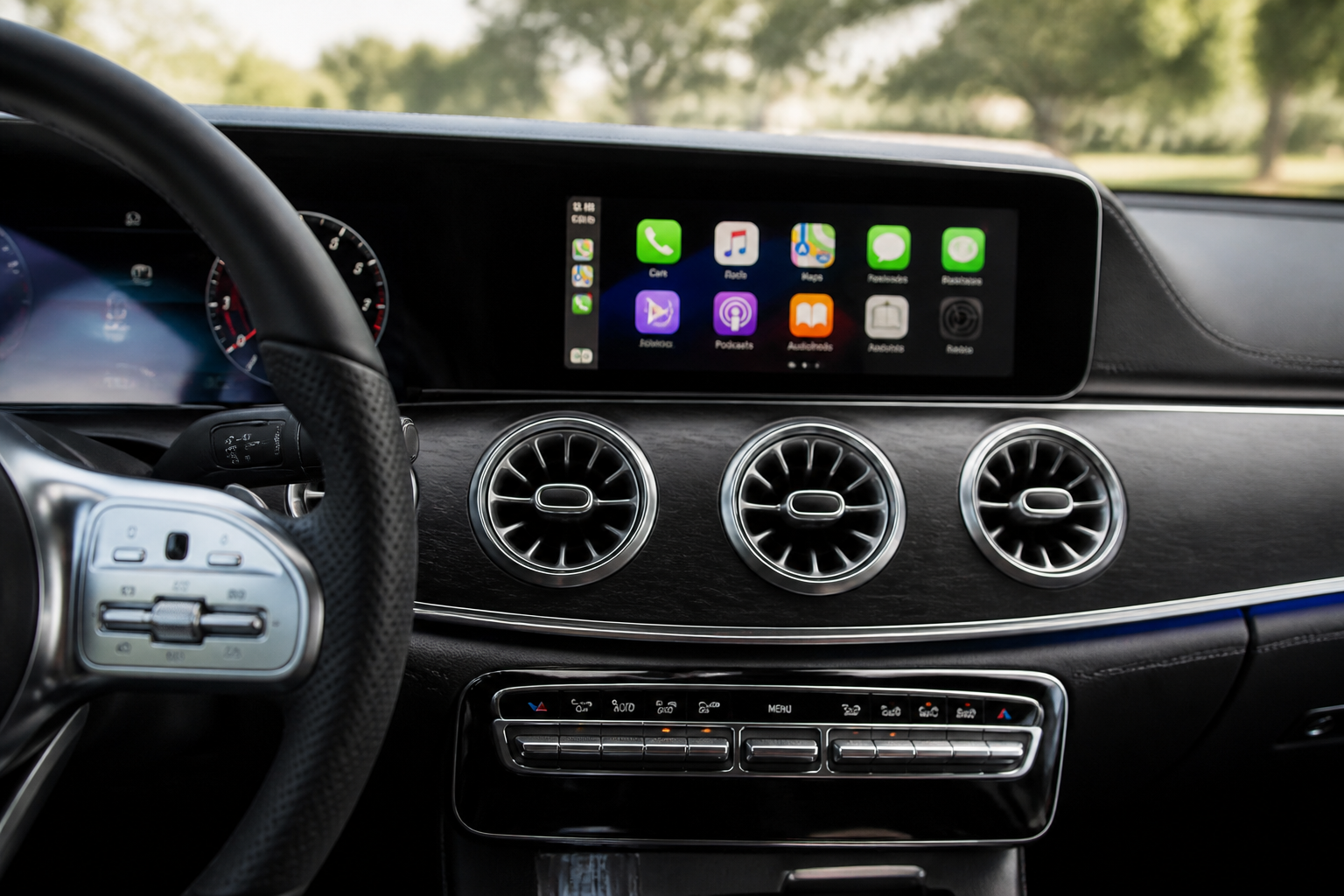
Wireless Apple CarPlay interruptions in MB NTG7 can stem from environmental interference, device issues, or software/firmware mismatches. A practical approach is to verify your NTG7 configuration, update iPhone and head-unit software, test with a second iPhone, and compare wireless with wired CarPlay. If instability persists, using wired CarPlay as a reliable fallback minimizes disruption while keeping navigation and media functionality intact.
Key takeaways
- NTG7 wireless CarPlay reliability varies by model and environment; verify your exact NTG7 configuration.
- Always update both iPhone firmware and head-unit software to address compatibility and stability.
- When wireless proves unreliable, wired CarPlay is a dependable fallback that preserves essential functions.
- Testing with a second iPhone helps distinguish device-specific issues from head-unit problems.
Mercedes-Benz vehicles equipped with the NTG7 MBUX infotainment system offer a refined, integrated connectivity experience, including wireless Apple CarPlay. However, real-world use shows that wireless CarPlay can experience interruptions, miscommunication with devices, or temporary loss of projection. This article expands on practical diagnostics, decision criteria, and maintenance considerations to help owners identify causes, apply fixes, and determine when wired CarPlay is the more reliable option. All guidance aligns with the live sources cited, including a Mercedes-Benz–specific NHTSA technical service bulletin and independent reviews that contextualize NTG7 behavior across model years and configurations.
Clarifying what NTG7 can and cannot guarantee for CarPlay
NTG7 represents the latest generation of Mercedes-Benz’s in-car software, but wireless CarPlay and Android Auto support are not universal across every NTG7 installation. Availability and performance depend on the exact hardware revision, regional software builds, and optional equipment packages. Independent testing confirms that wireless CarPlay may appear in some NTG7-equipped cars while remaining absent or unstable in others. Before treating a symptom as a vehicle fault, owners should verify the specific infotainment generation and features installed in their car via the vehicle documentation, EQUIPMENT LIST, or dealer portal. This prevents misdiagnosing a lack of wireless projection as a fault in the head unit.
Two credible reference points guide expectation: a Mercedes-Benz–specific NHTSA service bulletin that catalogs symptoms and a contemporary independent review noting variability in wireless support depending on generation. The NHTSA bulletin describes brief wireless interruptions, audio dropouts, devices not recognized, and loss of operation, and it frames a diagnostics pathway around software updates and comparative testing between wired and wireless connections. The Autoblog review corroborates that wireless capabilities can be present in newer implementations and may not be universal across all NTG7 vehicles.
Sources: NHTSA technical service bulletin for NTG7 wireless CarPlay interruptions and Autoblog MBUX Infotainment Review.
Source links: https://static.nhtsa.gov/odi/tsbs/2025/MC-11018714-0001.pdf • https://www.autoblog.com/reviews/mercedes-benz-mbux-infotainment-review
Root causes commonly observed with NTG7 wireless CarPlay
- Environmental interference: Wi‑Fi and Bluetooth signals from nearby devices, networks, or even other cars can destabilize wireless CarPlay connections.
- Phone placement and mounting: When the iPhone sits near vehicle antennas, metal surfaces, or in a cradle that shields or reflects signals, data priortization and reception can degrade.
- Software issues: Outdated iPhone OS, outdated head-unit firmware, or pending NTG7 patches can introduce compatibility glitches or reset connections during use.
- Cable and power considerations: Even when using wireless CarPlay, certain charging cables and power delivery behavior can influence the overall system stability, especially if ancillary features rely on power management while CarPlay is active.
- Thermal effects: Prolonged operation in high ambient temperatures or extended use can cause thermal throttling in the head unit, which may manifest as latency or dropouts in wireless projection.
Diagnostic workflow: how to isolate and verify CarPlay issues
- Document the pattern: Record when interruptions occur (e.g., after startup, during navigation, while streaming). Note location, time, connected devices, and the iPhone model and iOS version.
- Update the software stack: Ensure the iPhone OS is current and that the head-unit firmware for NTG7 has any available patches installed. If your dealer provides access to NTG7 updates via the vehicle’s infotainment system portal, apply them following Mercedes-Benz guidance.
- Test with an alternate iPhone: If a second iPhone (with a different iOS version) demonstrates the same behavior, the fault is less likely to be device-specific and more likely related to the vehicle system.
- Compare wireless vs wired CarPlay: Connect via USB using a high-quality Lightning cable and observe whether the issue persists. If wired CarPlay remains stable while wireless is flaky, the problem is consistent with wireless-specific factors rather than the phone or car hardware generally.
- Inspect hardware and mounting: Ensure the phone is securely mounted away from antennas and that the cradle does not shield or distort signals. Remove any magnetic mounts or metal-adjacent accessories that could interfere with reception.
- Inspect cables, ports, and power delivery: Replace damaged or low-quality charging cables and verify that the vehicle’s USB ports are clean and functional. In some NTG7 configurations, power supply can influence CarPlay operation even in wired mode.
- Evaluate environmental factors: Test in different environments—home, urban, and highway—since dense Wi‑Fi networks and clustered Bluetooth devices can elevate interference.
These steps reflect the diagnostic path recommended by the NHTSA bulletin and reinforce practical testing guidelines observed in independent reviews, emphasizing a methodical approach before concluding that either the head unit or CarPlay integration fails.
Wireless CarPlay vs wired CarPlay: practical decision criteria
Wireless CarPlay delivers convenience and a cleaner cabin look, but reliability can vary by vehicle configuration and environment. When wireless performance is inconsistent, employing wired CarPlay provides a stable, high-bandwidth connection that bypasses wireless handoffs and radio interference, making it a sensible fallback for critical tasks such as navigation, real-time traffic updates, or important calls. For frequent travelers or users who rely on uninterrupted navigation during long trips, planning for occasional wired CarPlay use can reduce disruption without sacrificing overall functionality. Always verify, for your exact model year and NTG7 setup, whether wireless CarPlay is officially supported and under what conditions it remains stable.
Firmware maintenance cadence and advisories
A disciplined update cadence helps minimize compatibility regressions. The recommended practice is to keep both the iPhone operating system and the head-unit firmware current, while actively watching for dealer advisories related to NTG7. Firmware patches can address known compatibility issues, improve handoff robustness, and enhance stability during high-demand tasks like streaming media while navigation overlays are active.
Practical tips to reduce daily interference
- Mount and positioning: Place the iPhone in a position that minimizes proximity to vehicle antennas and heavy electrical components when possible.
- Avoid signal congestion: In crowded areas with dense Wi‑Fi/Bluetooth usage, consider switching to wired CarPlay if wireless dropouts occur frequently.
- Use reliable accessories: Choose high-quality, properly rated USB cables when using wired CarPlay; ensure the cable is not damaged and supports required power delivery.
- Stay informed: Regularly check Mercedes-Benz and Apple advisories for known issues and recommended troubleshooting steps related to NTG7 and CarPlay.
Bottom line for MBNTG7 owners
NTG7 delivers strong CarPlay integration in many scenarios, but wireless reliability is not guaranteed across all models, software baselines, or environments. When wireless CarPlay interruptions occur, follow a structured approach: confirm the exact NTG7 configuration, update both the iPhone and head-unit software, test with a second iPhone, and compare wireless against wired CarPlay. If issues persist, wired CarPlay remains a proven, stable fallback that preserves navigation accuracy and audio continuity without relying on wireless transmission. This approach minimizes disruption and helps ensure safe, productive use of CarPlay in day-to-day driving.
Key sources: National Highway Traffic Safety Administration technical service bulletin on NTG7 wireless CarPlay interruptions and Autoblog’s MBUX Infotainment Review. https://static.nhtsa.gov/odi/tsbs/2025/MC-11018714-0001.pdf • https://www.autoblog.com/reviews/mercedes-benz-mbux-infotainment-review
Frequently asked questions
When should I prefer wired CarPlay over wireless?
If you experience repeated interruptions, audio dropouts, or pairing failures, wiring CarPlay provides a stable connection and can be a practical default for navigation and calls.
How do I update NTG7 firmware and iPhone software for CarPlay compatibility?
Follow Mercedes-Benz service procedures for head-unit updates and use the iPhone’s Software Update in Settings. In many cases, updates are performed at an authorized dealer or via over-the-air channels where available.
Do all MBNTG7 models support wireless CarPlay equally?
No. Availability and reliability of wireless CarPlay depend on the specific NTG7 hardware revision and software build in a given model and market.