To verify eligibility and activate connected-vehicle services for your Mercedes-Benz: (1) confirm with a dealer or Mercedes-Benz USA whether your vehicle is equipped for Mercedes me connect; (2) pair the vehicle using the QR code shown in the vehicle or by entering the VIN in the Mercedes-Benz app; (3) allow up to 48 hours for certain services to activate after an active connection; (4) note that legacy mbrace services ended on 2026-01-01 and that app-based features require a model-year2019+ vehicle.
Key takeaways
- Check eligibility with a dealer or Mercedes-Benz USA.
- Pair via QR code in the vehicle or by entering the VIN in the Mercedes-Benz app.
- Activation can take up to 48 hours after a vehicle has an active connection.
- Legacy mbrace services ended Jan 1, 2026; Mercedes me connect features depend on model year and connectivity.
Mercedes me connect and the Mercedes-Benz app unlock a suite of remote and in-vehicle connectivity features that hinge on a model-year capable vehicle, its equipment, and an active data connection. This guide walks you through a practical owner workflow: how to confirm eligibility, how to pair the vehicle, what activation timing to expect, and how to manage service availability over time. It also clarifies the differences between current Mercedes me connect capabilities and legacy systems that have been sunsetted.
1) Confirming eligibility and equipment for connected services
Before investing time in pairing and setup, verify that your specific vehicle is equipped and eligible for Mercedes me connect features. Eligibility depends on several factors, including model year, production options, region, and whether the vehicle’s software has the required modules enabled by a dealer or via over-the-air updates. In practice, owners typically do one of the following: contact a Mercedes-Benz dealer for a formal eligibility check, review the vehicle’s window sticker and onboard settings for connected-vehicle capability, or consult the official online notices that describe which models support Mercedes me connect versus legacy mbrace.
Important distinctions to keep in mind:
- Mercedes me connect features generally align with model-year capability and active connectivity; not every vehicle variant or option group will have the same remote-vehicle features available.
- Legacy mbrace services were terminated as of January 1, 2026. If your ownership history includes older vehicles or updates, treat legacy mbrace availability as discontinued and rely on Mercedes me connect where applicable.
- The Mercedes-Benz app is targeted at model-year 2019 and newer vehicles, with some exceptions noted by official materials. In practice, this means newer hardware and software stacks are needed for remote features to function reliably.
For a concise, official reference of what is currently available, consider reviewing the Mercedes-Benz USA Connected Vehicle Services notice, which outlines the scope of services and the distinction between app-based connectivity and older systems.
2) Pairing the vehicle: QR code or VIN entry
Once eligibility is confirmed, pairing the vehicle with the Mercedes me connect ecosystem is the critical first step. The pairing workflow is designed to be owner-friendly and can be completed using two common methods:
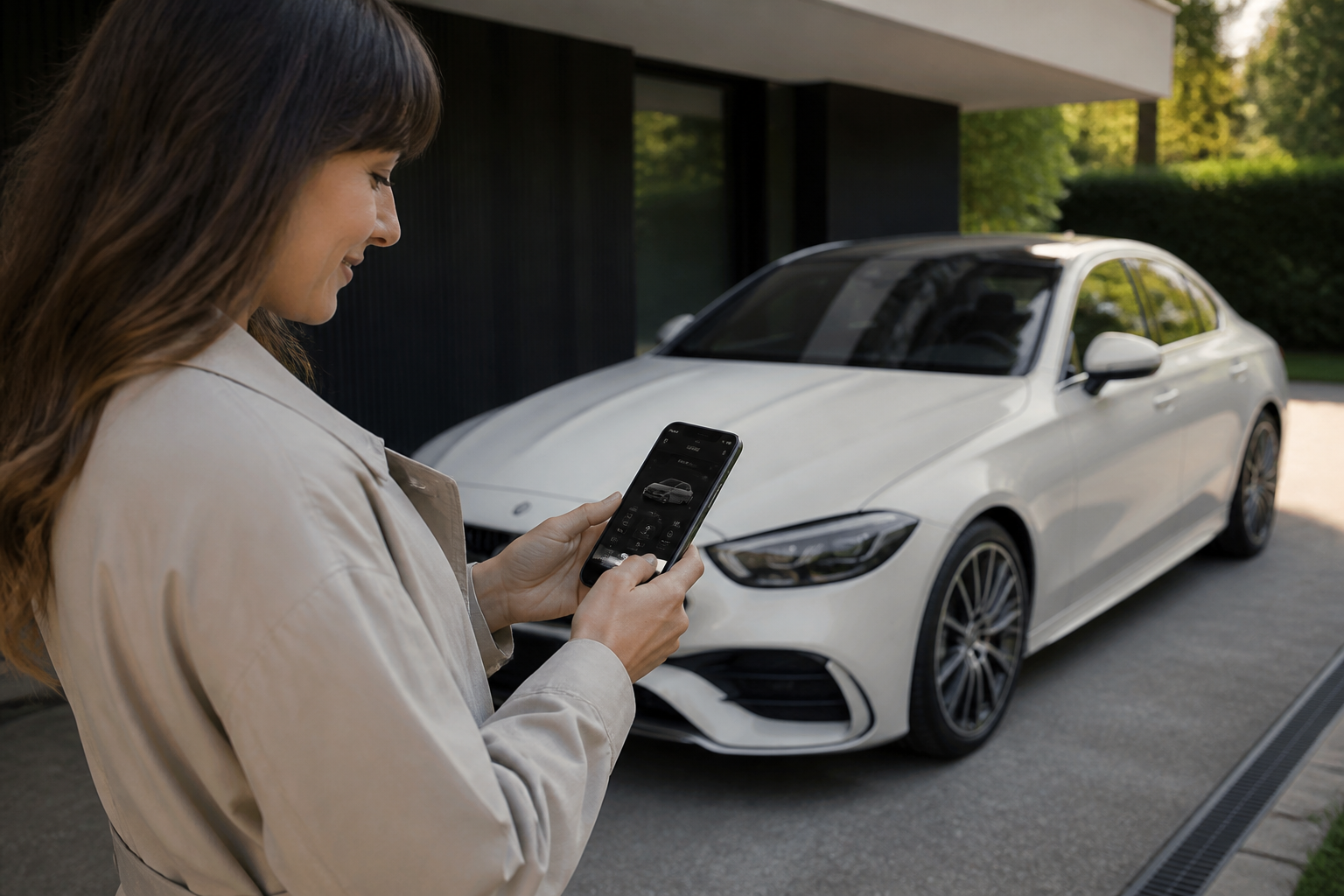
- Scan the QR code displayed in the vehicle’s multimedia system with the Mercedes-Benz app installed on your smartphone. This method typically initiates the link between your account and the vehicle and starts the activation process for compatible services.
- Alternatively, enter the Vehicle Identification Number (VIN) directly into the Mercedes-Benz app to start pairing. The VIN entry serves as a precise vehicle fingerprint to establish the connection.
Both methods are supported across current app implementations, but the exact on-screen prompts and timing can vary by app version and region. The official Mercedes-Benz app page explicitly describes these pairing methods and reiterates the model-year requirements for remote-access services.
3) Activation timing, expectations, and behavior
After successful pairing, activation of connected-vehicle services depends on network coverage, the vehicle’s status, and confirmed connectivity. In many cases, services begin to appear as active within a window that can extend up to 48 hours after the vehicle has an active connection. Several real-world factors influence timing:
- Active cellular or Wi-Fi connectivity in the vehicle and in the service area.
- Software updates or pending module activations that may need additional processing time at the factory or dealer level.
- Regional service enablement and any subscription or trial period that may apply.
During activation, you may notice some features are intermittently available while the system completes its enrollment in the Mercedes me connect platform. If a long delay occurs beyond the typical window, contact your dealer or Mercedes-Benz support to verify the status of the activation pipeline.
What services are typically available after activation
Typical remote-vehicle features that may be available to eligible vehicles include:
- Remote Engine Start
- Remote Door Lock & Unlock
- Vehicle Locator
- Vehicle Status checks and maintenance alerts
Remember that the precise set of features depends on equipment, model year, and active connectivity. The Mercedes me app is the conduit that enables pairing and control for model-year 2019+ vehicles; some older configurations may not support the same remote capabilities, and legacy mbrace services are no longer active as of 2026.
4) Managing activation, deactivation, and ongoing service status
After setup, owners should know where to manage services and how to reactivate or deactivate features if needed. The Mercedes me app provides controls to enable or disable individual connected services, and some operations can also be adjusted from the vehicle’s own settings interface. Important considerations include:
- Service availability can depend on region and subscription or trial status; check any renewal terms that might apply to your account.
- Non-expiring services (such as certain safety or status-report features) may remain active even after a trial period ends, while feature-specific remote capabilities (like Remote Engine Start) might be limited or require reactivation with a valid subscription.
- Account management, including authentication requirements and password changes, can affect immediate accessibility to remote features until re-authenticated.
If a service is not functioning as expected, verify that the vehicle is still within coverage, the car is connected, and the app is linked to the correct vehicle VIN. In cases of persistent issues, dealer support or Mercedes-Benz customer care can review the activation status and service entitlement tied to your VIN and account.
Notes on model-year capability and legacy changes
The landscape of Mercedes connectivity has evolved significantly. Key takeaways for owners:
- Model-year capability matters: newer vehicles tend to support a broader and more reliable set of Mercedes me connect features.
- The Mercedes-Benz app is designed for model-year 2019 and newer vehicles, with some exceptions; verify compatibility for your exact VIN.
- Legacy mbrace services have been terminated as of January 1, 2026. If your vehicle previously relied on mbrace, expect those functions to be unavailable unless they remain part of a supported Mercedes me connect offering.
For reference, the Mercedes-Benz Canada and Mercedes-Benz USA sources explain how pairing, activation timing, and service timelines work, including the distinction between Connect+ services, and how complimentary trials for certain features differ across model years and regions.
Practical example: step-by-step owner workflow
- Confirm vehicle eligibility with a dealer or by checking the vehicle’s software and equipment list for connected-vehicle capability.
- Install the Mercedes-Benz app on your smartphone and sign in with the correct Mercedes-Benz account.
- In the vehicle, display the QR code or locate the VIN to begin pairing.
- Use the app to scan the QR code or enter the VIN, then follow prompts to complete pairing.
- Allow up to 48 hours for activation of remote services after the device reports an active connection.
- Verify that services such as Remote Engine Start, Remote Door Lock/Unlock, and Vehicle Locator appear in the app and function as tested against a known reference (e.g., within range and in an area with service coverage).
By following these steps and keeping expectations aligned with model-year and region, owners can minimize surprises and better plan for initial setup and any future activations or deactivations.
Bottom line for owners
Effective use of Mercedes me connect and the Mercedes-Benz app starts with confirming eligibility, completing a two-method pairing (QR code or VIN), and understanding that activation may take time and depend on active connectivity and regional service terms. Remember that legacy mbrace has ended, while current app-based services are tied to model-year capability and ongoing connectivity. If in doubt, consult your dealer or Mercedes-Benz official resources to verify your vehicle’s exact service entitlement and activation timeline.
Sources